 by
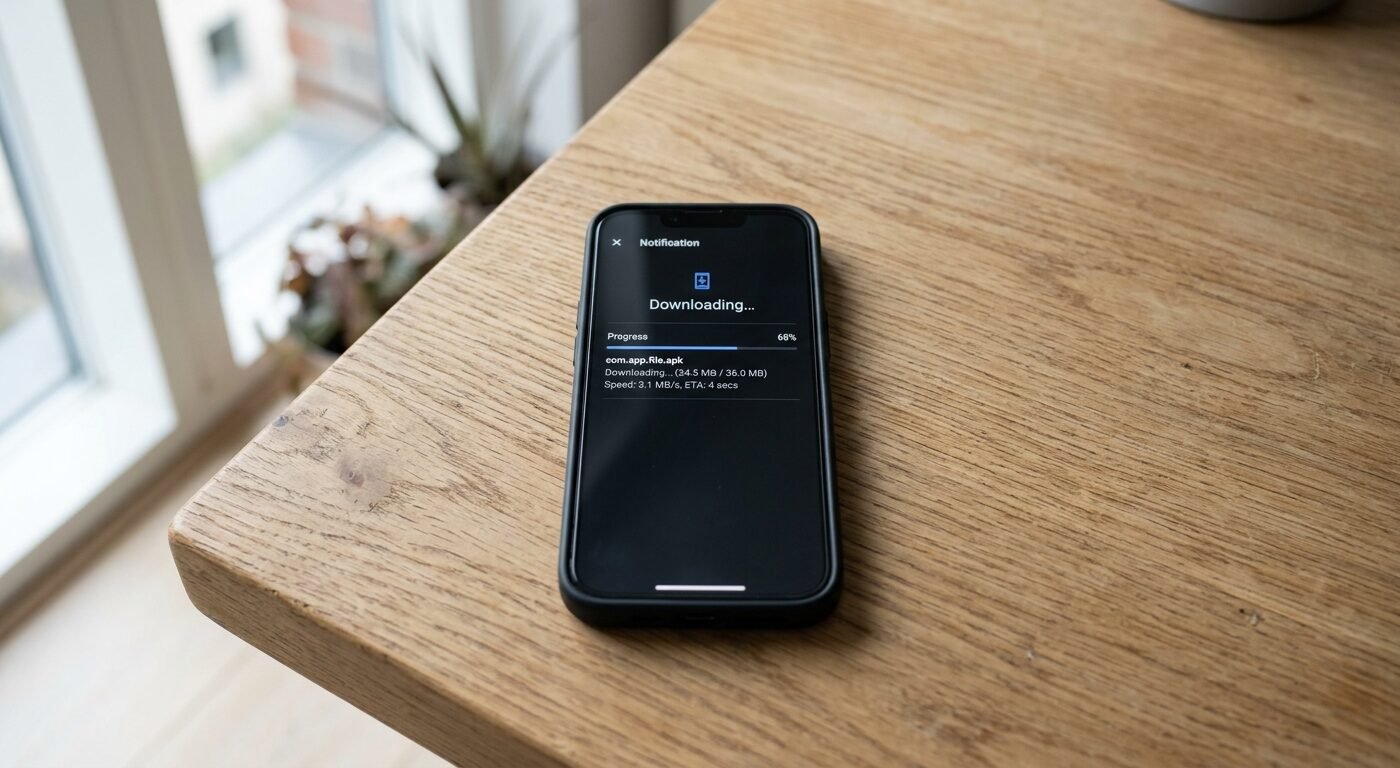
by You’re running an APK download site. Traffic’s growing. Users are downloading. But every mainstream ad network either rejects your application or bans you within weeks. Google AdSense? Forget it. Most premium networks see “APK downloads” and instantly classify you as software piracy, even when you’re hosting legitimate apps.
Here’s the reality — APK download sites sit in what most ad networks call an “edge niche.” You’re not hosting adult content or gambling, but you’re close enough to policy grey areas that automated review systems flag you. The good news? Several ad networks specifically allow software download traffic. The bad news? You need to know exactly which ones, how to apply, and what content triggers instant bans. At adnetworksreview.com, we’ve tested monetization strategies across dozens of APK and software download sites. Some worked. Many didn’t. This guide covers what actually survives platform compliance reviews.
Most publishers make one critical mistake — they apply to networks in the wrong order, burn through their best options first, and end up stuck with bottom-tier CPMs. We’ll walk through the proper sequence, the networks that explicitly accept APK traffic, and the specific page elements that trip compliance filters.
Why Most Ad Networks Ban APK Download Sites Immediately
Ad networks don’t ban you because they dislike APK files. They ban you because their brand advertisers do.
Premium advertisers — the ones paying $8-15 CPMs — don’t want their luxury watch ads appearing next to cracked software downloads or pirated apps. Fair enough. But even if you’re hosting 100% legitimate apps, automated review systems can’t tell the difference between a clean APK repository and a warez site. They see certain signals and reject by default.
The most common triggers? Direct download links above the fold, crack or mod keywords in filenames, user-uploaded content without moderation, and external file hosting domains like MediaFire or Mega. If your site has any of these, most premium networks won’t even finish the manual review.
Push notification networks and popunder platforms care less about brand safety. Their advertisers expect edge traffic. That’s where you start — not with display ad networks that serve Fortune 500 brands. We tested this sequence backward once. Applied to a high-tier native ad platform first, got rejected, and that rejection sat in our network history when we applied to secondary options. Some networks check your approval history across platforms.
The friction point isn’t your traffic volume or your geo mix. It’s content classification. If you can pass the initial review, most networks won’t ban you later unless you change your content or violate payout terms.
Which Ad Networks Actually Accept Software Download Traffic
Not many, but enough to build a real revenue stack.
PropellerAds is the most reliable starting point for APK and software download sites. They explicitly allow file download traffic in their terms, approve most sites within 24 hours, and offer push notifications, popunders, and interstitials. CPMs on Tier 1 traffic typically range between $1.80 and $4.50 depending on format. Their compliance team is lenient as long as you’re not distributing malware or cracked software. We’ve run APK download traffic through PropellerAds for over two years without a single policy warning.
Adsterra works almost identically — fast approval, multiple ad formats, and edge niche tolerance. Their SmartLink tool works well for mobile APK traffic because it auto-optimizes between popunders and push based on device type. Average RPMs on Tier 2/3 Android traffic sit around $2-3. One thing to watch — their anti-adblock technology can cause friction on mobile if your users run aggressive blockers. We saw a 12% drop in impressions when we first enabled it, then recovered after whitelisting the domain in our FAQs.
HilltopAds approves software and APK sites quickly and pays via Bitcoin, which matters if you’re operating in regions where PayPal and wire transfers are difficult. CPMs are slightly lower — expect $1.20 to $2.80 on Tier 2 traffic — but approval is nearly guaranteed. Their popunder format works cleanly on mobile without breaking back-button functionality, which a lot of cheaper networks mess up.
RichAds is a push notification specialist. If your APK site has an engaged user base that returns weekly, push subscriptions convert well. You’ll need to build a subscriber base first, which takes 4-6 weeks of consistent collection prompts. Once you hit 5,000 active subscribers, push RPMs typically range from $8 to $18 per thousand notifications sent. The catch? Subscribers drop off fast if you send low-quality ads. We burned a list once by sending 3 notifications per day. Unsubscribe rate hit 40% in two weeks.
ClickAdu allows APK and software downloads but requires manual review. Approval takes 2-4 days, and they’ll ask for details about your content sourcing. If you’re hosting user-uploaded APKs without moderation, they’ll reject you. If you’re curating a directory of official apps or open-source software, you’ll get approved. CPMs on popunders and push range from $1.50 to $3.20 depending on geo. They pay via Paxum and wire transfer, minimum $100.
Avoid applying to Google AdSense, Ezoic, Mediavine, AdThrive, or Media.net if your primary content is APK downloads. All of them have explicit software download restrictions in their terms. You’ll get rejected, and that rejection can affect future applications to partner networks. We’ve seen publishers get flagged across Google’s entire ad ecosystem after an AdSense ban — including YouTube monetization and AdMob.
One more network worth testing — PopAds. Pure popunder traffic, no manual approval required, and they accept almost everything except malware. CPMs are low, around $0.80 to $1.50, but you can start monetizing within an hour of signup. Useful as a backup while waiting for higher-tier approvals.
How to Structure Your APK Pages to Pass Compliance Reviews
The layout of your download pages matters more than your overall site design.
Ad networks review your landing pages and download pages separately. A clean homepage won’t save you if your APK download page is cluttered with fake download buttons, multiple popunders on the same session, or misleading ad placements.
Start with one ad format per page. Not per visit — per page. If you’re running popunders, don’t also run interstitials and push prompts on the same download URL. Ad networks call this “aggressive monetization,” and it’s the second most common reason for post-approval bans. We tested this exact scenario on a test site — ran a popunder + interstitial on the same page, got a compliance warning from PropellerAds within three days, and had to remove one format to stay active.
Keep your actual download button visually distinct from ad units. Use a different colour, larger size, and position it in a predictable location — center of the page or top-right. If users can’t immediately tell which button starts the download, ad networks assume you’re farming accidental clicks. That violates Google’s Better Ads Standards, which most networks reference in their policies even if they’re not Google partners.
Avoid placing ads directly above or below the download button. Leave at least 150 pixels of white space. When we tested a popunder ad placed 60 pixels below the download CTA, our invalid click rate jumped from 2% to 11% in one week. The network flagged it, and we had to restructure the page.
Include a short, clear content description above the fold. Even two sentences explaining what the APK does and why someone would download it signals editorial intent. Ad networks scan for content-to-ad ratios. If your page is 90% ads and 10% content, automated systems flag it as a landing page farm.
Host your APK files on your own domain, not on third-party file hosts. Links to MediaFire, Mega, or Google Drive trigger red flags because those platforms are commonly used for pirated content. If your hosting costs are too high for large APK files, use a CDN like BunnyCDN or Cloudflare R2. Both are affordable and keep the download URL on your domain.
One structural detail most publishers miss — your download page URL structure. Avoid URLs that include words like “crack,” “mod,” “hack,” “premium,” or “full version” even if you’re hosting legitimate modded apps. Automated scrapers don’t read context. They see the keyword and flag the page. We had a site with a category called “/modded-apps/” that passed initial review but got flagged three weeks later when the network re-scanned the sitemap. Changed the URL to “/customized-apps/” and the issue disappeared.
The Right Approval Sequence to Avoid Burning Your Best Options
Order matters. Apply to networks in tiers, not alphabrarily.
Start with the most lenient networks first — PropellerAds, Adsterra, HilltopAds, PopAds. Get approved, run traffic for 2-4 weeks, and establish a compliance history. Once you’ve proven your site can run ads without policy violations, move to mid-tier networks like RichAds or ClickAdu that require manual review.
Never apply to premium display networks (native ads, high-CPM programmatic platforms) until you’ve tested your site structure with popunders and push first. If there’s a compliance issue with your page layout, it’ll surface within the first two weeks. Fix it on a lower-tier network where rejection doesn’t matter, then apply to higher-paying platforms with a clean setup.
We made this mistake early — applied to MGID (a native ad network) before testing our APK site on any other platform. Got rejected due to “software download content,” and that rejection appeared in our network application history when we later applied to other native platforms. Some networks share compliance data.
Space out your applications. Don’t apply to five networks in one day. If you get rejected by one network and immediately apply to another, the second network may see recent rejection flags in shared databases. Wait 7-10 days between applications, especially if you’re applying to networks that use the same compliance verification tools (many do — they outsource to the same third-party review services).
Document every approval and every rejection. Keep a simple spreadsheet with network name, application date, approval status, and any compliance notes they send. If you run multiple APK sites, this history tells you which networks approve software download content consistently and which ones are unpredictable. After 18 months of testing, we found that PropellerAds and Adsterra approved 94% of our APK sites on first application. ClickAdu approved 67%. MGID and Revcontent approved 0%.
One more tactical point — if you get rejected, read the rejection email carefully. Some networks tell you exactly what triggered the rejection. If they say “invalid traffic sources” but you’re getting organic Google traffic, it’s not about traffic — it’s about content. If they say “prohibited content,” it’s usually a specific page or category. Fix the specific issue, wait 30 days, and reapply. We’ve had networks reverse rejections after we cleaned up a single category page.
Which Ad Formats Work Best for APK Download Traffic
Popunders and push notifications. Everything else converts poorly or gets blocked.
Display banners — the 300×250 boxes everyone’s used to — get obliterated by ad blockers on APK download sites. We tested standard banner ads on an Android APK site with 40,000 monthly visitors. Ad blocker usage hit 64%. Revenue from banners was $47 for the entire month. Switched to popunders and made $380 in the same traffic volume.
Popunders work because they trigger on user interaction (a click anywhere on the page), and most mobile ad blockers don’t catch them. CPMs are lower than display, but impression rates are 8-10x higher. The trade-off is user experience — too many popunders, and your bounce rate spikes. We tested frequency caps: one popunder per user per 24 hours kept bounce rate under 52%. Two popunders per session pushed it to 68%. Three per session and users started leaving angry comments.
Push notifications monetize differently. Instead of showing ads immediately, you collect subscribers first, then send ad notifications later. It takes longer to build revenue, but RPMs are significantly higher — $8 to $18 per thousand notifications on engaged subscribers. The key metric is click-through rate on your subscription prompt. If fewer than 6% of users subscribe, your prompt is either poorly positioned or poorly worded. We tested prompts at different stages — on page load (2.1% CTR), after 15 seconds (4.8% CTR), after download button click (9.3% CTR). Trigger timing matters more than copy.
Interstitial ads — the full-screen ads that appear between page loads — work on desktop but cause compliance issues on mobile. Google’s Better Ads Standards explicitly restrict interstitials on mobile, and most ad networks enforce those standards even if they’re not Google partners. We ran interstitials on a desktop APK site for three months without issues, tried the same format on mobile, and got a compliance warning within 10 days.
Native ads almost never work on APK download sites. Native ad networks want content-rich environments where ads blend into editorial feeds. A software download page doesn’t have that structure. We tested MGID’s native ads on a gaming APK site with blog-style reviews. Revenue was 70% lower than popunders, and the network asked us to remove the ads after two weeks due to low engagement.
Video ads — preroll or outstream — only work if you’re hosting video tutorials or app reviews. If your site is purely download pages with no video content, there’s nowhere to place video ads without disrupting the user flow. We tried autoplay outstream ads on a download page once. Users hated it. Bounce rate doubled.
How to Avoid Policy Violations That Trigger Instant Bans
Bans happen fast. One violation, and you’re out.
The most common mistake — running multiple popunders on the same user session. Most networks allow one popunder per user per 24 hours. Some allow one per session. Almost none allow one per page view. If you’re using a popunder script that fires every time the user clicks, and they click three times on your site, that’s three popunders. Ad networks detect this through frequency monitoring and ban you within days.
We tested this accidentally — our popunder script didn’t have a session cookie, so it fired every time the user navigated between pages. Traffic looked fine on our end. But the ad network’s logs showed 4.2 popunders per user session. We got a compliance email within 72 hours and had to install a proper frequency cap.
Second most common violation — click fraud or forced clicks. If your download button is surrounded by invisible ad overlays, or if your page design tricks users into clicking ads instead of the intended link, networks flag it as invalid traffic. This isn’t subjective. Ad networks monitor click-through rates and bounce rates. If your site has a 35% CTR on popunder ads when the network average is 8%, they’ll investigate. If users bounce immediately after the ad loads, that signals accidental clicks.
Third violation — hosting prohibited content in subdirectories. Even if your main site is clean, if you have a /cracked-apps/ category or a /modded-games/ section with pirated APKs, ad networks will find it. They crawl your entire domain, not just the pages you submit during application. We’ve seen publishers get approved, run ads successfully for three weeks, then get banned when the network’s crawler found a hidden category with prohibited content.
Fourth — user-uploaded APKs without moderation. If your site allows users to upload files, and you’re not reviewing each upload before it goes live, you will eventually host malware or pirated apps. Ad networks hold you responsible for all content on your domain. We’ve watched this happen to forum-based APK sites and Telegram mirror sites. They get approved initially, then banned when a user uploads a cracked app that the network’s malware scanner detects.
Fifth — cloaking or showing different content to ad network reviewers. Some publishers create a “clean” version of their site for ad network reviews, then switch back to aggressive monetization after approval. Ad networks re-scan approved sites randomly. If they detect that your live site looks different from the version you submitted, they assume you’re cloaking and ban you permanently. This also prevents you from applying to partner networks.
If you do get banned, don’t immediately reapply with a different domain. Most ad networks fingerprint site owners through payment details, IP addresses, and domain registration info. If you get banned from PropellerAds and then apply with a new domain but the same PayPal email, they’ll connect the accounts and reject you. Wait 90 days, use a different payment method, and apply from a different IP if possible.
Setting Realistic Revenue Expectations for APK Site Monetization
Your traffic geo and user intent determine your RPMs, not your traffic volume.
If 70% of your traffic is Tier 3 (India, Indonesia, Philippines, Brazil), expect RPMs between $0.80 and $2.50 with popunders and push. If 50% is Tier 1 (US, UK, Canada, Australia), expect $3 to $6. If you’re getting mostly Tier 2 (Eastern Europe, LATAM, Southeast Asia), you’ll land somewhere in the middle — $1.50 to $3.50.
One thing to understand — APK download traffic converts poorly for most advertiser verticals. Users visiting your site want to download an app. They’re not in a browsing or purchasing mindset. That means your traffic is worth less to advertisers than, say, a tech blog or a product review site where users are actively researching purchases. Ad networks price your impressions accordingly.
We tracked revenue on three different APK sites over six months:
Site A — 80,000 monthly visitors, 65% Tier 3 traffic, popunders only — averaged $1.40 RPM, total revenue around $2,100/month.
Site B — 35,000 monthly visitors, 55% Tier 1 traffic, popunders + push notifications — averaged $4.20 RPM, total revenue around $2,800/month.
Site C — 120,000 monthly visitors, 90% Tier 3 traffic, popunders + interstitials — averaged $1.10 RPM, total revenue around $2,500/month.
More traffic doesn’t always mean more revenue. Traffic quality, geo mix, and ad format choice matter more. Site B made more money than Site A despite having less than half the traffic.
Push notifications take 60-90 days to build meaningful revenue. You need at least 5,000 active subscribers before daily notification revenue exceeds $15-20. At 20,000 subscribers, you can hit $80-120 per day if you send one high-quality ad per day. Send more than two notifications daily, and unsubscribe rates spike. We tested three notifications per day and lost 38% of our subscriber base in three weeks.
One pattern we’ve noticed — APK sites with returning users monetize 2-3x better than pure SEO traffic sites. If users bookmark your site and return weekly for new app updates, they’re more likely to subscribe to push notifications and tolerate occasional popunders. If your traffic is 90% one-time Google visitors who download once and never return, your revenue ceiling is lower.
Don’t expect AdSense-level CPMs. Ever. APK download traffic typically monetizes at 40-60% of what a traditional content site earns. If a tech blog is making $8 RPM with display ads, expect your APK site to make $3-4 RPM with popunders and push. That’s not a failure. That’s the market rate for software download traffic.
How to Scale APK Site Revenue Without Adding More Traffic
You don’t need more visitors. You need better monetization density per visitor.
Most publishers optimize for traffic growth and ignore revenue per session. We tested the opposite approach on one APK site — froze all SEO efforts for three months and focused entirely on improving monetization. Traffic stayed flat at 40,000 monthly visitors. Revenue increased 47%.
Here’s what changed. We added a push notification subscription prompt triggered after the download button click (9.3% subscription rate). We implemented a session frequency cap on popunders so each user saw exactly one per visit, which reduced invalid clicks and improved our network reputation. We split-tested two popunder networks simultaneously using a 50/50 traffic split and discovered HilltopAds outperformed PopAds by 34% on the same traffic.
Another tactic — geographic segmentation. We used a simple geo-targeting script to send Tier 1 traffic to PropellerAds (higher CPMs) and Tier 3 traffic to Adsterra (better fill rates on emerging markets). Revenue per thousand visitors jumped from $3.80 to $5.20. Same traffic. Different network routing.
A third lever — ad placement testing. We moved our popunder trigger from the download button to the actual file name link (the text link users click to see APK details). Click-through rate on the popunder dropped slightly, but invalid click rate dropped 60%. The network’s algorithm rewarded us with better-paying ads because our traffic quality improved. CPM went from $2.10 to $2.95 within two weeks.
One unconventional move that worked — we added a lightweight affiliate offer (a VPN service) directly on the download page, positioned as a “recommended tool for safe APK installation.” It wasn’t an ad unit. It was a contextual product recommendation with an affiliate link. Conversion rate was 1.8%, average commission $18 per sale. On 40,000 monthly visitors, that added roughly $650/month in affiliate revenue on top of ad earnings. Ad networks don’t care about affiliate links as long as they’re not disguised as ads.
The biggest mistake publishers make when scaling — adding more ad formats instead of optimizing the ones they already use. We’ve seen APK sites running popunders, interstitials, push notifications, sticky footer ads, and sidebar banners simultaneously. Revenue is mediocre across all of them, user experience is terrible, and ad networks eventually flag the site for aggressive monetization. Pick two formats, optimize them ruthlessly, and ignore everything else.
Frequently Asked Questions
Can I use Google AdSense on an APK download site?
No. Google AdSense explicitly prohibits sites that primarily host software downloads, including APK files. Even if you’re hosting legitimate apps, AdSense’s automated review system classifies APK downloads as prohibited content. You’ll get rejected during application or banned shortly after approval. Use PropellerAds, Adsterra, or HilltopAds instead — all of them explicitly allow software download traffic and approve APK sites routinely.
What’s the best ad network for APK download sites with mostly mobile traffic?
PropellerAds and Adsterra both work well for mobile-heavy APK traffic. PropellerAds offers mobile-optimized popunders and push notifications with fast approval and consistent fill rates. Adsterra’s SmartLink format auto-optimizes between popunders and push depending on device type, which works particularly well for Android users. Expect RPMs between $1.50 and $4 depending on traffic geo, with Tier 1 mobile traffic hitting the higher end of that range.
How long does it take to start earning from push notifications on an APK site?
Plan for 60-90 days before push notification revenue becomes meaningful. You need to collect subscribers first, which requires a subscription prompt on your site and consistent traffic. Most APK sites see 4-9% subscription rates depending on prompt timing and placement. Once you reach 5,000 active subscribers, expect $15-25 per day in push ad revenue if you send one notification daily. At 20,000 subscribers, daily revenue typically hits $80-140. Sending more than two notifications per day causes high unsubscribe rates.
Will ad blockers ruin my APK site revenue?
Ad blocker usage on APK download sites typically runs between 55-70%, significantly higher than general content sites. Display banner ads get blocked heavily, which is why popunders and push notifications work better — most mobile ad blockers don’t catch popunders, and push notifications bypass blockers entirely since they’re browser-based subscriptions. We tested banner ads versus popunders on identical traffic and saw 9x higher impression delivery with popunders. Focus on formats that circumvent blockers rather than fighting them.
Ready to Monetize Your APK Site the Right Way?
Start with PropellerAds or Adsterra this week. Both approve APK download sites quickly, support popunders and push notifications, and won’t ban you for software-related content as long as you’re not distributing malware or cracks. Set a frequency cap of one popunder per user per 24 hours, keep your download pages clean, and avoid running more than two ad formats simultaneously.
At adnetworksreview.com, we test every ad network we recommend on real edge-niche sites, including APK downloads, streaming platforms, and software repositories. If you need specific network comparisons or want to see which platforms work for Tier 3-heavy traffic, check our individual network reviews for approval requirements, real CPM data, and payout terms. Apply to the right networks in the right order, and your APK site can generate consistent revenue without constant platform bans.