 by
by You’re leaving money on the table if you’re only running one ad format.
Most bloggers I talk to run display ads exclusively—usually through Google AdSense or a basic alternative—and wonder why their RPMs won’t break $5. Meanwhile, a smaller group discovered native ads, got excited about the 10x CTR claims, and then hit approval walls or found their traffic type wasn’t a fit. Both groups are missing the bigger picture.
Here’s what actually matters: native ads vs display ads isn’t a binary choice. It’s about knowing which format works for your traffic type, your niche, your audience behavior, and your approval odds. After testing both formats across finance blogs, tech review sites, lifestyle content, and even a few edge niches, I can tell you the “which is better” question is the wrong one. The right question is: which monetizes better for your blog, right now, given what you’re working with.
Let’s break down what each format actually does, where the money comes from, and how to pick the right one without guessing.

What Display Ads Actually Are (And Why They Still Work)
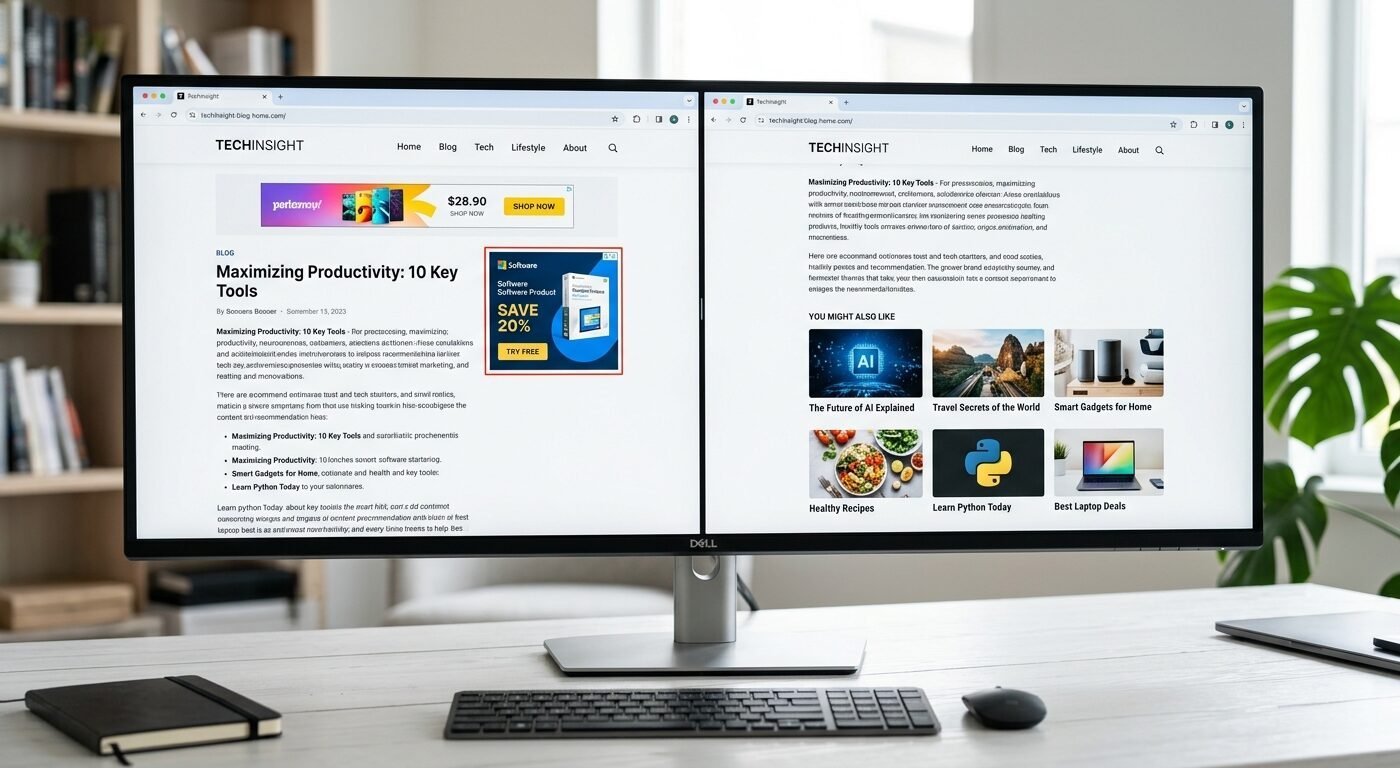
Display ads are the banners, rectangles, and skyscrapers you see on most content sites. They’re programmatic—meaning ad networks auto-fill them based on the visitor’s browsing history, not your content. That’s why someone reading your pasta recipe might see an ad for car insurance.
Display ads work on volume. They don’t need engagement. A visitor sees the ad, maybe clicks it (0.1% to 0.5% CTR is normal), and you get paid. Most display networks pay on CPM—cost per thousand impressions. You get paid just for showing the ad, whether anyone clicks or not. That’s the entire business model: show ads to as many people as possible, collect the CPM, scale traffic.
The format hasn’t changed much since 2010. Standard IAB sizes—300×250, 728×90, 160×600—still dominate. Networks like Ezoic, Mediavine, Adsterra, and Google AdSense all serve display ads. They’re easy to set up, require almost no optimization beyond placement testing, and work on nearly any niche.
Display ad revenue scales linearly with traffic. Double your pageviews, you roughly double your earnings. RPMs vary wildly by niche and geo. A finance blog with US traffic might hit $15 to $25 RPM. A general entertainment blog with Tier 2 traffic might see $2 to $4 RPM. Tier 3 traffic? Sometimes under $1.
The big advantage: display ads are passive. Once they’re live, you don’t touch them. No creative refresh needed, no A/B testing ad copy, no manual campaign tweaking. The networks handle everything. For bloggers who just want to write and forget about monetization, display is the path of least resistance.
But here’s the problem: display ads are terrible at engagement. Most visitors have banner blindness. They scroll right past your sidebar ads. Your in-content banners get ignored unless they’re obnoxiously placed. CTRs are abysmal compared to native. That doesn’t matter if you’re getting paid on impressions, but it does matter when you compare earnings per visitor.
What Native Ads Are (And Why Publishers Love Them)
Native ads blend into your content. They look like recommended articles, “you might also like” widgets, or editorial suggestions. The format matches your site design so well that visitors often don’t realize they’re ads until they click through.
The most common native ad format is content recommendation widgets—those grids of thumbnail images with headlines at the bottom of articles. Outbrain and Taboola pioneered this. Mgid, Revcontent, and a dozen others followed. You’ve seen them: “This Method Eliminated My Back Pain” or “Doctors Hate This Trick.” Some are clickbait. Some are genuine advertorial content. All of them rely on curiosity and native feel to drive clicks.
Unlike display ads, native ads are click-dependent. You only get paid when someone clicks. That changes the entire monetization model. Instead of CPM, you’re earning CPC—cost per click. Networks pay you $0.05 to $0.50+ per click depending on your traffic geo and the advertiser bid. High-quality Tier 1 traffic from finance or health content can hit $0.30 to $0.80 per click. Tier 3 traffic might earn $0.02 to $0.10.
Native ads consistently outperform display on engagement. CTR ranges from 0.3% to 2%+ depending on placement, design, and content type. That’s 5x to 20x higher than typical display CTR. The ads feel less intrusive because they mimic editorial content. Visitors who click are more engaged, which means higher advertiser value and better revenue share for publishers.
The format works especially well on content-heavy blogs with high scroll depth. If your visitors read to the bottom of 2,000-word articles, native widgets at the end convert beautifully. If your site is mostly quick-hit news or image galleries with low dwell time, native underperforms.
There’s a catch: native ads require decent traffic volume to generate meaningful income. A blog pulling 10,000 pageviews a month might make $20 to $50 from native clicks. That same traffic could make $40 to $150 from display CPMs, depending on niche. Native scales slower at low traffic levels because clicks are harder to generate than impressions.
Approval is harder too. Most premium native networks—Outbrain, Taboola, Revcontent—require 50,000 to 500,000 monthly pageviews and English-language content from Tier 1 geos. Mgid and a few others accept lower traffic and Tier 2/3 geos, but payout per click drops accordingly.
The Revenue Math: Which Format Pays More Per Visitor
Let’s put real numbers on this.
Assume you’re running a blog with 100,000 monthly pageviews. Average 1.5 pageviews per session, so roughly 66,600 sessions. Here’s what each format typically generates:
Display ads (Google AdSense or similar):
RPM: $5 (conservative for general content, Tier 1 traffic)
100,000 pageviews × $5 RPM = $500/month
Native ads (Mgid or Revcontent):
CTR: 1% (reasonable for well-placed native widgets)
100,000 pageviews × 1% CTR = 1,000 clicks
CPC: $0.20 (mid-range for mixed Tier 1/2 traffic)
1,000 clicks × $0.20 = $200/month
Display wins here. But the math shifts dramatically with niche, geo, and CTR.
Finance blog, US traffic, 100,000 pageviews:
Display RPM: $18
100,000 × $18 = $1,800/month
Native CTR: 1.2%, CPC: $0.50
100,000 × 1.2% × $0.50 = $600/month
Display still wins, but native adds $600 on top if you run both.
Lifestyle blog, high engagement, 100,000 pageviews:
Display RPM: $4
100,000 × $4 = $400/month
Native CTR: 2.5% (strong content match, end-of-article placement), CPC: $0.15
100,000 × 2.5% × $0.15 = $375/month
Nearly identical. Run both, you get $775 total.
The pattern: display ads monetize better on impressions and high-CPM niches. Native ads monetize better on engagement-heavy content and high-CTR placements. In most cases, running both formats together generates 30% to 60% more revenue than either alone.
One more factor: user experience degradation. Stacking display and native ads everywhere kills dwell time and tanks SEO. You need balance. Most successful publishers run display in standard positions (header, sidebar, in-content after paragraph 3) and add one or two native widgets at the end of articles. That’s usually the revenue sweet spot without destroying UX.
Approval Requirements: Display is Easier, Native is Pickier
If you’re just starting out, display ads are far more accessible.
Google AdSense approves most blogs with original content, clean design, and a few dozen posts. Traffic requirements are minimal—some new sites get approved with under 1,000 monthly pageviews. Other display networks like Adsterra, Hilltopads, and PropellerAds have even lower bars. You can monetize a brand-new blog within weeks.
Native ad networks are gatekeepers. Taboola wants 500,000+ monthly pageviews. Outbrain wants premium content and high engagement metrics. Revcontent reviews editorial quality and rejects clickbait-heavy sites. Mgid is more flexible—they accept 5,000 to 10,000 monthly pageviews—but payout is lower for smaller publishers.
If you’re running an edge niche—crypto, gambling, adult, streaming, torrents—display networks like Adsterra and Hilltopads will approve you. Most native networks won’t. Revcontent explicitly bans adult and gambling content. Mgid accepts some crypto and finance content but scrutinizes it heavily.
Geography matters too. Native networks prioritize Tier 1 traffic (US, UK, Canada, Australia). If 70% of your visitors come from India, the Philippines, or Brazil, native ad revenue drops hard. Display networks monetize Tier 2/3 traffic better because CPM-based revenue isn’t as click-dependent.
Here’s the reality: if your blog doesn’t yet have 20,000+ monthly pageviews, stick with display ads. Get approved by Adsterra, Ezoic (if you qualify), or Google AdSense. Scale traffic. Once you hit 50,000+ pageviews and have strong engagement metrics, apply to Mgid or MGID alternatives. If you’re pulling 200,000+ pageviews with Tier 1 traffic, go after Taboola or Revcontent.
Don’t waste time applying to native networks you won’t get approved by. Build the foundation first.
Which Ad Format Wins by Blog Niche
Niche determines which format monetizes better. Some content types favor native, others favor display, and a few work equally well with both.
Finance and investment blogs: Display wins on raw CPM. Finance advertisers pay top dollar for programmatic display inventory. RPMs of $15 to $30 are common with US traffic. Native ads work too, especially for personal finance content where clickthrough to “best credit cards” or “investment tools” articles converts well. Run both. Display for the CPM, native for the engagement layer.
Health and wellness blogs: Native ads crush here. Health content gets high CTRs on native widgets because visitors are actively searching for solutions. “How I Lost 30 Pounds” or “This Supplement Changed My Life” native ads blend perfectly with health blog content. Display ads work, but RPMs are mid-range ($6 to $12) unless you’re in a premium sub-niche like medical devices or pharmaceuticals.
Tech and software review blogs: Display ads perform well because tech advertisers pay decent CPMs. But native ads struggle unless your content is tutorial-heavy or problem-solving focused. If you’re writing “10 Best Project Management Tools,” native recommendations to similar listicles or tools work. If you’re covering breaking tech news, native underperforms because visitors aren’t in discovery mode.
Lifestyle, fashion, and travel blogs: Native ads work beautifully. These niches thrive on visual content and recommendation-style widgets. A fashion blog visitor who just read “10 Spring Outfit Ideas” will happily click a native ad promising “25 Affordable Dresses You’ll Love.” Display RPMs are low in lifestyle niches ($3 to $7), so native often contributes 40% to 50% of total ad revenue.
News and entertainment blogs: Display ads dominate. High pageview velocity, low dwell time, and broad audience demographics favor CPM-based monetization. Native ads underperform because visitors skim headlines and bounce. If you’re running a celeb gossip blog or trending news site, load up on display. Native won’t move the needle much.
Gaming and esports blogs: Mixed. Display ads work for general gaming content. Native ads work well for guides, tier lists, and tutorials where visitors are engaged and exploring. If your gaming blog is mostly news and patch notes, stick with display. If it’s strategy guides and walkthroughs, test native at the end of long-form content.
Edge niches (adult, gambling, crypto, streaming): Display is often your only option. Most native networks ban these verticals. Adsterra, Hilltopads, and a few others specialize in edge niche monetization with display and pop formats. Native networks won’t approve you. Don’t waste time applying.

Where to Place Each Ad Type for Maximum Revenue
Placement is everything. Wrong placement kills revenue. Right placement can double it.
Display ad placement:
Header banner (728×90 leaderboard): works for desktop, but mobile visitors often ignore it. Revenue contribution: 10% to 15%.
Sidebar (300×250 or 160×600): desktop-only. High viewability, passive income. Mobile sites don’t have sidebars. Revenue: 15% to 20% of total display earnings.
In-content (300×250 after paragraph 2 or 3): highest-performing placement. Visitors scroll into it naturally. Revenue: 40% to 50% of display income.
In-content (second unit after paragraph 6 or 7): works on long-form content (1,500+ words). Don’t overdo it—two in-content units max on most posts.
Footer or end-of-article display unit: low performance unless the visitor reads to the end. Revenue contribution: 5% to 10%.
Native ad placement:
End-of-article widget (content recommendation grid): the money placement. Visitors who finish your post are most engaged. This is where native ads convert. CTR here is 2x to 5x higher than mid-content native placements.
In-content native (mid-article, after paragraph 4 or 5): works on very long content (2,500+ words) if the widget matches content style. Use sparingly—too many native units hurt UX and dilute CTR.
Sidebar native widget (desktop only): underperforms compared to end-of-article. Visitors trained to ignore sidebars. Skip this unless you’re testing and have data showing otherwise.
One critical mistake: stacking three display units and two native widgets on every post. You’ll tank engagement, spike bounce rate, and hurt SEO rankings. Google’s Helpful Content Update in 2024 penalized ad-heavy pages with thin content. That trend continues in 2026.
The ideal setup for most blogs: one header display unit, one in-content display unit after paragraph 3, one end-of-article native widget. That’s three total ad placements on a 1,000 to 1,500-word post. Revenue and UX stay balanced.
Running Both Formats Together: The Hybrid Monetization Model
Here’s what most high-earning publishers do: they don’t choose. They run both.
Display ads monetize pageviews. Native ads monetize engagement. Layer them together, and you capture both revenue streams without doubling up on the same inventory.
The setup: primary display network (AdSense, Ezoic, Mediavine, or Adsterra depending on your traffic and niche) handles banner placements. Native network (Mgid, Revcontent, Outbrain) handles content recommendation widgets at the end of posts. No overlap, no conflict.
Revenue lift from adding native to display: typically 20% to 40% increase in total ad income. A blog earning $800/month from display alone might hit $1,100 to $1,200/month by adding native widgets. The native layer doesn’t cannibalize display revenue—it monetizes visitor engagement that display ads miss.
There’s a balance point. If you add too many ad units, CTR on native drops because visitors get ad-fatigued and bounce before reaching the widget. If you place native widgets too high in the content, they compete with display units for attention and both underperform.
Test this: start with display ads only. Get baseline revenue. Then add one end-of-article native widget. Track total revenue for 30 days. If the native widget adds 20%+ net revenue without tanking engagement metrics (bounce rate, time on page), keep it. If native revenue is under 15% of total and bounce rate spikes, pull it or adjust placement.
The hybrid model works best on content-heavy blogs with strong engagement. If your average time on page is under 45 seconds, native won’t perform well no matter where you place it. Visitors aren’t sticking around long enough to see the widget.
The Downsides Nobody Talks About
Native ads have a reputation problem. The format is associated with clickbait, misleading headlines, and low-quality advertorial content. Visitors see “Doctors Hate This Trick” and lose trust in your site. That perception isn’t entirely unfair.
Most native ad networks serve performance-driven advertisers running aggressive direct-response campaigns. The ads work because they’re curiosity-driven, but the user experience after the click is often terrible—multi-page slideshow listicles, auto-play videos, aggressive upsells. If your blog has a premium brand, native ads can damage it.
You can control this somewhat. Networks like Outbrain and Taboola let you block certain advertiser categories. Mgid and Revcontent offer some ad quality filters. But you’re never fully in control of what ads show. If a sketchy weight-loss ad slips through, your visitors see it under your content, and your brand takes the hit.
Display ads have the same issue but to a lesser degree. Programmatic display serves random ads—some are fine, some are spammy. But because display banners are visually separate from your content, visitors mentally partition them. Native ads blend in, so low-quality native ads feel like your recommendation.
The fix: if brand reputation matters more than revenue, skip native. Stick with display or explore higher-quality alternatives like Ezoic’s ad quality controls or premium networks that vet advertisers more carefully. If you’re running a niche site built purely for ad revenue and don’t care about brand, native ads are a no-brainer.
Another downside: native ad revenue is inconsistent. Advertiser demand fluctuates. CPC rates drop during low-spend periods (post-holiday months, summer for some niches). Display CPM is more stable because programmatic demand is broader and less seasonal.
Which Format Should You Use Right Now
Here’s the decision framework:
Use display ads if:
- You’re under 50,000 monthly pageviews
- Your niche has high display CPMs (finance, tech, B2B)
- Your content is short-form or low-engagement (news, quick tips)
- You want passive, hands-off monetization
- You’re in an edge niche (adult, gambling, crypto) where native won’t approve you
Use native ads if:
- You’re over 50,000 monthly pageviews with strong engagement
- Your niche is lifestyle, health, or content recommendation-friendly
- Your posts are long-form (1,500+ words) with high scroll depth
- You can get approved by Mgid, Revcontent, or better
- You don’t mind variable revenue month-to-month
Use both if:
- You’re over 100,000 monthly pageviews
- You have Tier 1-majority traffic
- Your engagement metrics are solid (average time on page 1+ minute)
- You’ve tested native and it contributes 20%+ incremental revenue
- You’re comfortable managing two ad network accounts
One more factor: effort. Display ads are set-and-forget. Native ads require occasional optimization—testing widget placement, checking CTR, adjusting content-to-ad balance. If you’re a solo blogger with limited time, start with display. If you’re treating this like a business and want to maximize revenue per visitor, layer in native once you have the traffic to make it worthwhile.
Frequently Asked Questions
Can I run native ads and display ads together without hurting revenue?
Yes, and it’s the standard setup for most mid-to-high traffic blogs. Display ads monetize impressions, native ads monetize clicks. They don’t compete as long as you don’t overload the page. Stick to one or two display units and one end-of-article native widget per post. Test for 30 days and compare total revenue to display-only baseline. Most publishers see a 20% to 40% revenue lift without engagement metric drops.
Do native ads work well on mobile traffic?
Native ads perform slightly better on mobile than display because they fit naturally into the content flow. Mobile visitors are used to scrolling through feed-style content, and native recommendation widgets mimic that experience. Display banner ads on mobile are often ignored or accidentally clicked. If your traffic is 70%+ mobile, native should be part of your strategy—but only after you hit meaningful traffic volume.
Which native ad network pays the most for bloggers?
Taboola and Outbrain pay the highest CPC, but they require premium traffic (500,000+ pageviews, Tier 1 geos, high editorial quality). For smaller publishers, Mgid is the most accessible and pays decently—$0.10 to $0.30 CPC for US traffic depending on niche. Revcontent falls in between: stricter than Mgid, easier than Taboola. Test with Mgid first if you’re between 50,000 and 200,000 monthly pageviews. Apply to Revcontent or Taboola once you cross 250,000.
How long does it take to see revenue from native ads?
Native ad widgets start earning within hours of going live, but meaningful revenue takes 7 to 14 days as the network’s algorithm learns which ads perform best on your content. Don’t judge performance in the first week. CPC and CTR stabilize after two weeks. If you’re still seeing under $50/month from native after 30 days on a 50,000+ pageview blog, either your CTR is too low (check placement) or your traffic geo doesn’t pay well (check analytics for Tier 1 vs. Tier 2/3 split).