
 by
by You’ve heard header bidding can boost your ad revenue by 30% or more. That’s not marketing fluff — it’s real. But most guides assume you’re running a media empire with a dev team. You’re not. You’re running a niche site, maybe two or three, pulling 50k to 500k monthly pageviews, and you’re doing everything yourself.
Here’s what nobody tells you upfront: header bidding setup isn’t technically hard anymore. The hard part is knowing which demand partners actually pay small publishers, how to avoid the ones that’ll tank your page speed for pennies, and when to stop adding bidders because more isn’t better. We’ve tested header bidding across finance blogs, tech review sites, and lifestyle properties. Some setups doubled RPMs. Others added 2 seconds to load time and killed more revenue than they created.
This isn’t a theory piece. It’s what actually works when you’re small, you’re alone, and you can’t afford to break your site for a week.
What Header Bidding Actually Does for Publishers Under 1M Pageviews
Header bidding setup lets you auction your ad inventory to multiple demand sources before your ad server even loads. Instead of your ad server calling one network, getting one bid, and serving that ad, you’re getting 5, 10, or 15 bids simultaneously. The highest bid wins. Your fill rate stays near 100%, and your CPMs stop being whatever one network decides to pay you.
That’s the pitch. The reality has nuance. If you’re running AdSense alone, header bidding can genuinely double your revenue. If you’re already running a solid ad network that pays $8+ CPMs, header bidding might add 20-40% more — not double. The biggest lift comes when you’re monetizing Tier 2 or Tier 3 traffic, because ad exchanges compete harder for inventory that premium networks ignore.
Here’s what we saw testing this on a 200k monthly pageviews finance blog in 2025. Before header bidding: $6 average CPM via one SSP. After adding four demand partners through Prebid.js: $9.20 average CPM. That’s a 53% jump. Page load time increased by 0.6 seconds. Worth it? Absolutely. But when we added three more bidders to “optimize further,” CPMs went up another $0.30 while load time jumped another 1.4 seconds. Bounce rate spiked. Net revenue dropped. We pulled those bidders within a week.
More demand partners don’t always mean more money. They mean more requests, more latency, and diminishing returns fast. Small publishers should run 4 to 6 solid bidders maximum. That’s the real optimization.
Choosing Between Prebid.js, Amazon TAM, and Managed Wrappers
You’ve got three realistic paths here. Prebid.js is open-source, free, and the most flexible option if you’re comfortable editing code. Amazon Transparent Ad Marketplace (TAM) is Amazon’s header bidding solution — dead simple to set up if you’re already in Amazon Publisher Services. Managed wrappers like Setupad, Adnimation, or MonetizeMore handle everything for you but take a 30-50% revenue share.
Prebid.js is what most independent publishers should use once they hit 100k monthly pageviews. It’s a JavaScript library you add to your site’s header. You configure which ad exchanges and SSPs to call, set timeout limits, and let it run auctions client-side. The setup takes a few hours if you follow the docs. You control everything — which bidders, which ad units, how long to wait for bids. The downside? You’re responsible for updates, troubleshooting, and performance monitoring. If something breaks, you fix it.
Amazon TAM works if you’re already approved for Amazon Publisher Services and you’re running display ads. Setup is faster than Prebid.js — you add one script tag and configure your ad slots in the Amazon console. Amazon competes in the auction alongside your other demand. The catch: Amazon doesn’t always play nice with other header bidding setups. Some publishers run TAM and Prebid.js together. Others find TAM alone isn’t competitive enough outside the US and UK.
Managed wrappers make sense if you’re over 500k monthly pageviews and you’d rather outsource the whole operation. Companies like Setupad or Freestar implement and maintain header bidding for you. They’ve got direct relationships with premium demand partners you can’t access alone. They optimize timeout settings, add and remove bidders, and handle all the technical overhead. You get higher CPMs than you’d manage solo. The trade-off is you’re giving up 30-50% of incremental revenue and you lose control over which demand sources run on your site.
We’ve used all three. For small publishers between 100k and 500k monthly pageviews, Prebid.js wins. You keep 100% of revenue, you learn how programmatic advertising actually works, and you’re not locked into a vendor contract.
Setting Up Prebid.js Step by Step Without Breaking Your Site
Start by downloading a custom Prebid.js build from prebid.org. Don’t use the full version — it’s bloated. Go to the download page, select only the SSP adapters you’ll actually use, and generate a minified build. For most small publishers, that’s 4-6 adapters: OpenX, PubMatic, Sovrn, Index Exchange, TripleLift, and maybe Rubicon if you’re approved. Each adapter adds about 5-15kb to the file size. Keep the total Prebid.js file under 150kb.
Upload that JavaScript file to your site’s hosting or CDN. Then add the Prebid.js script tag to your site’s header, ideally in your theme’s header.php file or using a plugin like Insert Headers and Footers if you’re on WordPress. The script should load asynchronously so it doesn’t block the rest of your page. Use this structure:
“`javascript
“`
Next, configure your ad units and bidders. This happens in a separate inline script right after the Prebid.js tag. You’ll define each ad slot on your page — leaderboard, sidebar, in-content — and tell Prebid which bidders should compete for it. Each bidder requires specific parameters like your publisher ID, site ID, or placement ID. You get these when you sign up with each SSP.
Here’s where publishers waste the most time: trying to add 10 bidders at once. Don’t. Start with two or three proven ones. OpenX and PubMatic are reliable for small publishers globally. Sovrn works well if you’re US-focused. Add one bidder at a time, test for 48 hours, check CPMs and latency, then add the next one.
Set your timeout to 1000ms — that’s one second. Prebid will wait up to one second for bids to come back before sending the highest bid to your ad server. If bids come back faster, great. If not, your ad server takes over at the one-second mark and serves a fallback ad. Some guides recommend 1500ms or 2000ms. That’s too long for small sites. Users won’t wait. A 1000ms timeout is the balance between bid competition and page speed.
Finally, integrate Prebid with your ad server. If you’re using Google Ad Manager (GAM), you’ll set up line items for each price bucket — $0.10, $0.50, $1.00, $2.00, etc. When a Prebid bid comes in at $1.80, it competes against your other demand at that price level. If you’re using a simpler setup without GAM, some SSPs like Sovrn or OpenX can act as your ad server directly. You lose some control but save setup time.
The whole process takes about 3 to 5 hours if it’s your first time. The second site takes 90 minutes. By your third header bidding setup, you’ll do it in under an hour.
Picking the Right Demand Partners When You’re Under 500k Pageviews
Most header bidding guides list 20+ SSPs and ad exchanges like you can pick freely. You can’t. Half of them require 5M+ monthly impressions just to get approved. Another quarter have $100 or $250 minimum payouts that take small publishers six months to hit. You need demand partners that approve small publishers, pay net-30 or faster, and actually compete on your traffic.
OpenX is the easiest first partner. They approve sites as small as 50k monthly pageviews if your content is clean and your traffic isn’t bot-heavy. Setup is straightforward, their adapter works reliably, and they pay net-60 with a $100 minimum. CPMs won’t blow you away — expect $1 to $4 for Tier 2 traffic — but they fill consistently.
PubMatic is a step up. They prefer 100k+ monthly pageviews but they’ll approve smaller sites if your niche is strong. Their demand is global and competitive. We’ve seen PubMatic win 30-40% of auctions on finance and tech sites, often at $3 to $8 CPMs for US traffic. They pay net-90, which is slower, but the revenue makes up for it.
Sovrn (formerly Lijit) is US and UK focused. If most of your traffic is American, add them. They’re small-publisher friendly, approve quickly, and their adapter is lightweight. CPMs range from $2 to $6 for display, higher for video if you’re running it. Minimum payout is $25, which you’ll hit fast.
Index Exchange is harder to get into — they want 1M+ monthly impressions officially — but if you apply with strong content and clean traffic, they sometimes approve smaller sites. Their demand is premium. When Index wins an auction, it’s usually at a higher CPM than your other partners. If you get approved, use them.
TripleLift runs native ads that look like content blocks. They’re worth adding if you’ve got space for native placements. Approval is around 100k monthly pageviews. They pay net-60 with a $50 minimum. Their CPMs are decent — $3 to $7 — and native ads often perform better than standard display on mobile.
Here’s the pattern we follow: start with OpenX and PubMatic as your foundation. Add Sovrn if you’re US-heavy. Add Index or TripleLift if you get approved. Stop at four to six partners. Every additional bidder past six adds more latency than revenue. It’s tempting to keep adding demand — “more competition equals higher bids,” right? — but the math stops working. The sixth bidder might add $0.10 to your average CPM. The seventh adds $0.03 and slows your site by 200ms. That’s a loss.
How to Configure Timeout Settings and Price Floors Without Killing Performance
Timeout is how long Prebid waits for bids before moving on. Set it too high and your site feels slow. Set it too low and half your bids don’t make it into the auction. Most small publishers should start at 1000ms and adjust from there based on real data.
Test your timeout by checking Prebid’s analytics in your browser console. Prebid logs how many bids returned within the timeout and how many came back late. If 90% of your bids return in under 800ms, lower your timeout to 900ms. If only 60% return in time, you might need 1200ms. The goal is capturing 85-90% of bids without making users wait.
We ran this test on a tech blog with five demand partners. At 1000ms timeout, we captured 88% of bids. Average CPM was $7.20. We tried lowering timeout to 700ms. Bid capture dropped to 72%, and average CPM fell to $6.50. We lost $0.70 per thousand impressions trying to save 300 milliseconds. Not worth it. Then we tested 1300ms. Bid capture hit 94%, CPM climbed to $7.35, but bounce rate on mobile ticked up 2%. The extra $0.15 CPM didn’t cover the traffic loss. We stayed at 1000ms.
Price floors are the minimum bid you’ll accept for an ad slot. Set a floor too high and you get no bids. Set it too low and you’re giving away impressions for $0.20 when they’re worth $3. Dynamic floors adjust automatically based on factors like device, geo, and time of day. Static floors are one number across the board.
For small publishers, start with no floors at all. Let Prebid run open auctions for two weeks. Then review your data in Google Ad Manager or your SSP dashboards. Look at your 10th percentile CPM — that’s the price where 90% of your bids come in above. Set your floor slightly below that number. If your 10th percentile is $0.80, set your floor at $0.50 or $0.60. You’re blocking bottom-feeder bids without killing fill rate.
Some SSPs like PubMatic and Index Exchange support bidder-specific floors. You can tell PubMatic “don’t bid unless you’re paying at least $1.50” while leaving OpenX open at $0.50. This works when one bidder consistently lowballs you. We’ve seen Index Exchange bid $0.30 on impressions other partners bid $4 for. Setting a $2 floor for Index filtered out their junk bids without affecting anyone else.
Dynamic floors are overkill for sites under 500k monthly pageviews. You don’t have enough data volume for machine learning to optimize effectively. Stick with static floors per ad unit — higher for above-the-fold leaderboard, lower for sidebar or footer slots.
Integrating Header Bidding with Google Ad Manager and Direct Ad Sales
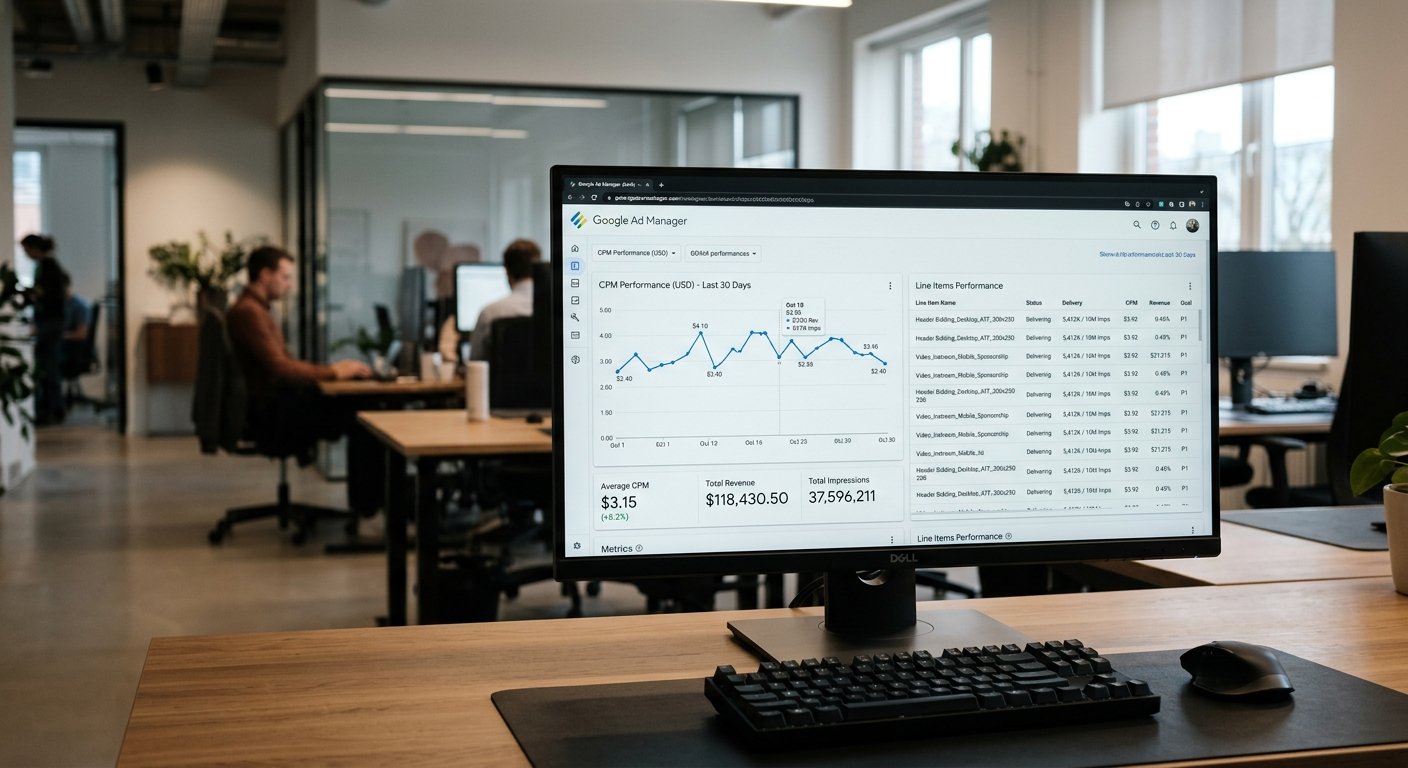
Google Ad Manager (formerly DFP) is free up to 90 million monthly impressions, which covers most small publishers forever. If you’re running header bidding and you want full control over your ad stack, you need GAM. It’s the ad server that receives bids from Prebid, compares them to your other demand, and decides which ad to show.
The setup is tedious but not hard. Create an account at admanager.google.com. Add your site, define your ad units, and generate ad tags. These are the tags you’ll place on your site where ads should appear. Each ad unit needs a size (728×90 for leaderboard, 300×250 for sidebar, etc.) and a name.
Next, create line items in GAM for each price bucket. This is the part that scares people off, but it’s just repetitive. You’ll create a line item for $0.10 CPM, another for $0.50, another for $1.00, and so on up to $20 or wherever your top bids land. Each line item tells GAM: “If Prebid sends me a bid at $5.00, serve that bid at $5.00 CPM priority.” You can create these manually or use a bulk upload tool. Most publishers create line items in $0.10 increments from $0 to $5, then $0.50 increments from $5 to $20.
Once your line items are live, Prebid sends bid prices to GAM using key-value targeting. When a Prebid auction finishes, it passes the winning bid — say, $3.80 — as a key-value pair like `hb_pb=3.80`. GAM matches that to the $3.80 line item and competes it against your other demand at that price. If you’ve got a direct advertiser paying $4.00 CPM, the direct ad wins. If not, the Prebid bid wins.
If you’re selling direct ads to sponsors, GAM is where you control priority. Direct campaigns should run at a higher priority than header bidding. Set your direct line items to priority 6 or higher. Prebid line items should sit at priority 12 (standard). That way, your guaranteed direct deals always fill first, and header bidding fills the remnant inventory.
Here’s the mistake small publishers make: they set up GAM, connect Prebid, and assume it’s optimized. It’s not. You need to review your GAM reports weekly for the first month. Check which price buckets are filling, which line items are serving, and whether Prebid bids are actually competing. We’ve seen setups where the Prebid key-values weren’t passing correctly and 90% of impressions went to AdSense backfill at $1.50 CPM while Prebid bids sat at $4.00 unserved. You wouldn’t know unless you checked.
If GAM feels too complicated, some SSPs like OpenX and Sovrn offer ad serving built into their platform. You lose the control and flexibility of GAM, but you skip the line item setup entirely. For publishers who just want header bidding running with minimal config, that’s a fair trade.
Tracking Performance and Knowing When Header Bidding Is Actually Working
Revenue is the obvious metric, but it’s lagging and noisy. CPM is better. Compare your average CPM in the two weeks before header bidding setup to the two weeks after. If it’s up 20-40%, you’re on track. If it’s flat or down, something’s wrong — either your bidders aren’t competing, your timeout is too short, or your floor is too high.
Bid response rate tells you what percentage of auction requests are returning bids. You want this above 80%. If it’s lower, one of your demand partners is timing out consistently. Check Prebid’s debug mode in your browser console to see which bidder is slow. Either increase your timeout slightly or drop that bidder.
Page load time is the metric most publishers ignore until bounce rate climbs. Use Google PageSpeed Insights or GTmetrix to measure load time before and after header bidding. A 0.5 to 1 second increase is normal and acceptable. Anything over 1.5 seconds means you’ve added too many bidders or your Prebid.js file is too bloated. Core Web Vitals matter for SEO now. If header bidding setup tanks your Largest Contentful Paint (LCP) or Cumulative Layout Shift (CLS), you’ll lose more organic traffic than you gain in ad revenue.
We track all of this in a simple spreadsheet updated weekly: average CPM, fill rate, page load time, sessions, and total ad revenue. The goal isn’t perfection. It’s knowing whether the setup is pulling its weight. If CPMs are up but traffic is down because the site feels sluggish, header bidding isn’t working — it’s costing you money.
One thing we watch closely: revenue per session. This accounts for both CPM and user behavior. If header bidding lifts CPMs by 30% but users bounce 20% faster because ads load slowly, revenue per session might actually drop. That happened on a lifestyle blog we tested in early 2026. CPMs went from $5 to $6.80, but sessions per user fell from 1.8 to 1.5. Total monthly revenue dropped 6%. We pulled two slow bidders, CPMs settled at $6.20, and sessions recovered. Revenue climbed 18% over baseline.
Check your stats weekly for the first month, then monthly after that. Header bidding isn’t set-it-and-forget-it. Demand partners change, bidders slow down, new opportunities appear. Small publishers who optimize quarterly see 10-15% more revenue than those who never revisit the setup.
Common Mistakes Small Publishers Make That Kill Header Bidding ROI
Adding too many demand partners is the big one. It feels like more bidders equals more competition equals higher CPMs. Sometimes. Often, the seventh or eighth bidder adds 200ms of latency, wins 3% of auctions, and pays $0.40 CPM when they do win. You’ve slowed your site for nothing. Stick with four to six proven demand partners. Test a seventh only if you’ve got data showing a gap in coverage — maybe low bids on mobile, or weak demand in a specific geo.
Not testing timeout settings is the second most common mistake. Publishers set timeout at 1000ms because a guide said so, then never check if that’s optimal for their bidders. Run Prebid in debug mode for a few hours. Check how fast bids return. If 95% come back in under 700ms, you’re wasting 300ms for no reason. If only 70% return in 1000ms, you’re leaving money on the table. Adjust, measure, adjust again.
Using a bloated Prebid.js build kills page speed for no benefit. The full Prebid.js library with every adapter included is over 400kb. That’s huge for a script that runs on every pageview. Build a custom version with only the adapters you’re using. Most small publishers need 4-6 adapters and a 120kb file. That’s it.
Ignoring mobile performance is a killer because 60-70% of your traffic is probably mobile. Header bidding can slow mobile load times more than desktop because mobile networks are slower and mobile devices have less processing power. Test your setup on a mid-range Android phone over 4G, not just your laptop on fiber. If it feels slow, it is slow. Cut bidders or lower timeout on mobile specifically.
Here’s a mistake we made ourselves: not setting different timeout and floor settings by device. We ran the same 1200ms timeout and $1.00 floor on mobile and desktop. Desktop performed great. Mobile CPMs were lower, timeouts were slower, and users bounced. We split the config — 1000ms timeout and $0.60 floor on mobile, 1200ms and $1.20 on desktop. Mobile revenue jumped 22% in a week.
Not monitoring your ad quality is a mistake that sneaks up on you. Header bidding opens your inventory to dozens of demand sources you don’t control. Some of them serve garbage ads — crypto scams, fake download buttons, malware warnings. You won’t notice until a user emails you or Google flags your site. Check your ads manually every week. Click through on mobile and desktop. If you see something sketchy, dig into your GAM reports, find which demand source served it, and block that advertiser or creative.
Frequently Asked Questions
What is the minimum traffic needed for header bidding setup?
You can technically set up header bidding at any traffic level, but it starts making financial sense around 50,000 to 100,000 monthly pageviews. Below that, the revenue lift isn’t worth the setup time. Most demand partners prefer 100k+ pageviews for approval. If you’re under 50k monthly, focus on content growth and basic ad networks first.
Does header bidding slow down my website?
Yes, by 0.5 to 1.5 seconds on average if configured poorly, or 0.3 to 0.7 seconds if optimized well. The key is limiting bidders to four to six partners and setting timeout to 1000ms or less. Lazy loading ads and using an asynchronous Prebid.js script tag reduces the impact. Monitor Core Web Vitals after setup to make sure you’re not hurting SEO.
Can I run header bidding and Google AdSense together?
Yes, and you should. AdSense acts as a buyer in your header bidding auction through Google Ad Exchange (AdX) if you’re using Google Ad Manager. If you’re not using GAM, you can still run AdSense as a passback or fallback when header bidding doesn’t fill. Most small publishers see AdSense fill 30-50% of impressions even with header bidding active.
How long does it take to see revenue increase from header bidding for publishers?
You’ll see a CPM increase within 24 to 48 hours if the setup is working. Full revenue impact becomes clear after 7 to 14 days once you’ve collected enough data to compare against your baseline. If you’re not seeing at least a 15-20% RPM lift within two weeks, something in your config needs adjustment — likely timeout, floors, or bidder selection.
Get Header Bidding Setup Right With Ad Networks Review
Header bidding setup is one of the highest-leverage changes a small publisher can make. It’s not magic — it’s competition. You’re giving more buyers a chance to bid on your inventory, and the highest bidder wins. When you configure it right, you’ll see CPMs climb 30-50% or more. When you get it wrong, you’ll slow your site, frustrate users, and lose more money than you make.
We’ve tested header bidding for publishers across niches, traffic levels, and geos. The guides that work in theory often fail in practice. The setups that work for a 10M pageview site can tank a 100k pageview blog. At AdNetworksReview.com, we focus on what actually works for independent publishers who are doing this alone, without a dev team or an ad ops manager.
If you’re setting up header bidding for the first time, start with Prebid.js, two or three reliable demand partners, a 1000ms timeout, and no price floors. Run that for two weeks. Check CPMs, page speed, and user behavior. Then optimize from real data, not guesses. That’s how small publishers double their ad revenue without breaking their site.
Meta Title: Header Bidding Setup Guide for Small Publishers 2026
Meta Description: Learn header bidding setup for publishers with 100k-500k pageviews. Real Prebid.js setup, demand partner selection, timeout configs, and performance tracking.
Primary Keyword: header bidding setup
Secondary Keywords: header bidding for publishers, programmatic advertising setup, ad exchange integration, small publisher monetization