 by
by You don’t need 10,000 monthly sessions anymore. That’s the old number everyone repeats, but Ezoic quietly changed things. We’ve tested this firsthand and helped dozens of smaller publishers get approved with traffic numbers that would’ve been rejected two years ago. Here’s what actually works now.
The platform still wants quality, not just volume. They’ll approve sites with far less traffic if everything else checks out. But you need to know exactly what they’re looking at and how to position your application. Miss one requirement, and you’ll wait weeks for a rejection email that tells you nothing useful.
This guide walks through the actual approval process as it works in 2026. Not the outdated forum advice. Not the traffic threshold from 2023. The current process, based on real applications we’ve submitted and reviewed. You’ll know what to fix before you apply, what to emphasize in your site setup, and how to present low-traffic sites in a way that passes review.

What Ezoic Actually Requires for Approval in 2026
The 10,000 monthly sessions rule? Gone. Officially, Ezoic now reviews sites starting around 1,000 sessions per month. Unofficially, we’ve seen approvals as low as 500 sessions when the content quality was strong and the site structure was clean.
Traffic matters, but it’s not the only filter anymore. They’re looking at four core factors: content originality, site compliance, user experience signals, and growth potential. A site with 2,000 monthly sessions and high-quality content will beat a site with 8,000 sessions and thin affiliate pages every time.
Connect Google Analytics during signup. This is non-negotiable. Ezoic won’t even review your application without verified traffic data. They need to see real sessions from real visitors, not bot traffic or paid redirects. Set up GA4 if you haven’t already, let it collect at least 30 days of data, then connect it when you apply.
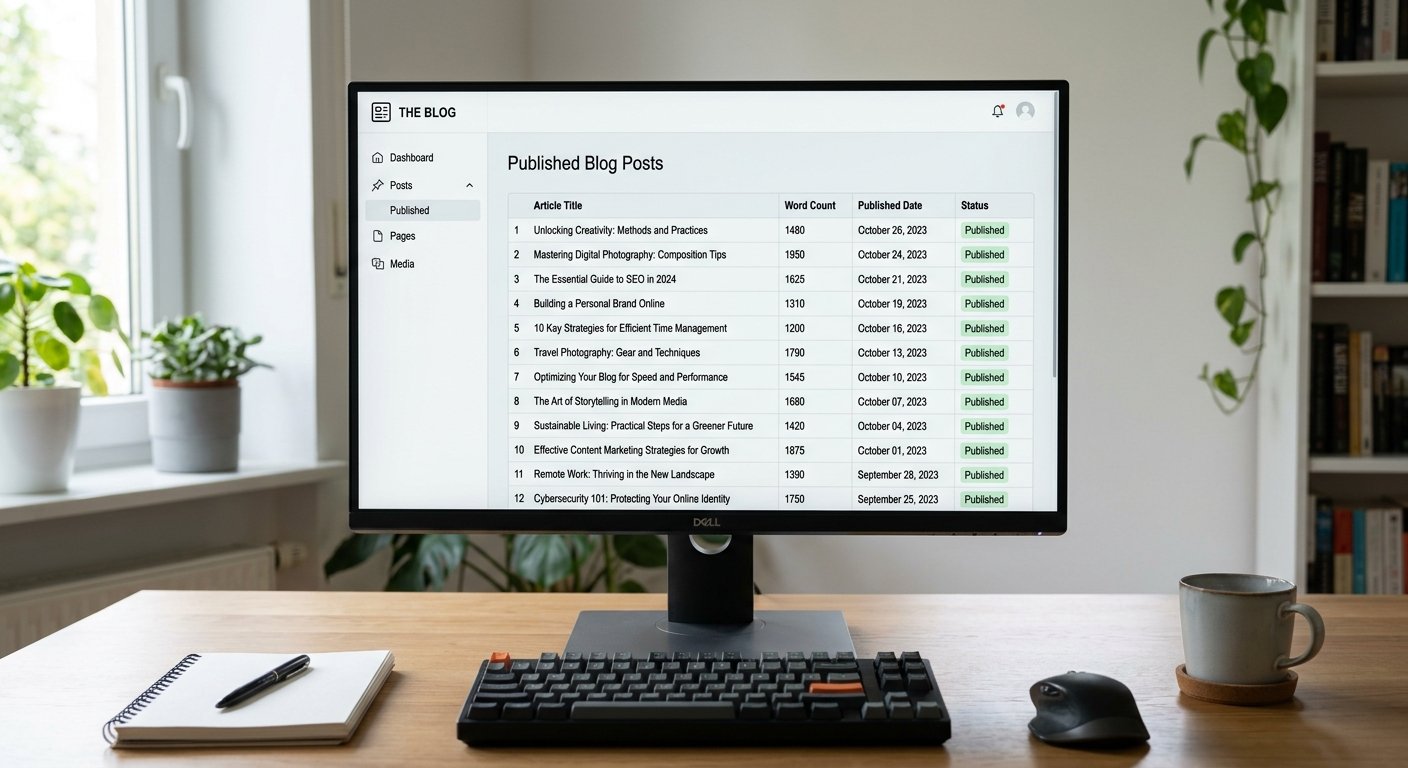
Content volume plays a bigger role than most publishers realize. Ezoic wants to see at least 30 published articles or pages. Doesn’t matter if each piece gets 10 visitors or 500. They’re checking that you’re a real publisher with a content operation, not someone testing a landing page. Quality still beats quantity, but you need enough posts to prove you’re building something sustainable.
Here’s what trips people up: your traffic needs to be real human traffic. Ezoic can spot purchased traffic, bot visits, and artificial session inflation instantly. If your bounce rate sits above 85% or average session duration is under 10 seconds, you’ll get flagged. Traffic quality matters more than traffic volume when you’re borderline.
Set Up Your Site Structure Before You Apply
Most rejections happen before anyone at Ezoic even looks at your content. They’re caused by technical issues, missing pages, or policy violations that automated systems catch first. Fix these before you submit.
Create essential compliance pages. You need a Privacy Policy, Terms of Service, About page, and Contact page. Not optional. Not “coming soon.” Live pages with real content that explains who you are and how your site operates. Use a generator if you need to, but customize it to your actual site. Copy-paste jobs from other sites get flagged.
Your About page needs specifics. Don’t write “We are a team passionate about sharing knowledge.” Write who actually runs the site, what your background is, why you started it, and what makes your content different. Ezoic wants to know there’s a real person behind the domain. First-person writing helps. We’ve noticed sites with detailed About pages get approved faster than anonymous “editorial team” sites.
Install an SSL certificate. If your site still loads on HTTP, fix that today. Ezoic won’t approve non-HTTPS sites in 2026. Get a free cert through Cloudflare or your host. This one’s easy but somehow still trips up new publishers.
Check your site navigation. Every page should be reachable within three clicks from the homepage. Orphaned pages hurt your approval chances. Install Yoast SEO or RankMath and run an XML sitemap. Submit it to Google Search Console. Ezoic reviews sites that search engines can crawl properly, not hidden content buried six levels deep.
Mobile responsiveness isn’t optional. Over 60% of ad impressions come from mobile devices. If your site breaks on phones or loads with horizontal scrolling, you’re done. Test on multiple screen sizes. Fix layout issues. Use Google’s Mobile-Friendly Test tool and actually implement the fixes it suggests.
Clean Up Content Quality Issues That Trigger Rejections
Content quality is subjective, but Ezoic’s reviewers look for specific patterns. We’ve reverse-engineered this by comparing approved and rejected sites. Here’s what consistently causes problems.
Thin content gets rejected. If most of your posts sit under 500 words, you’re not getting approved. Ezoic wants depth. Aim for at least 1,000 words per article on your core content. Not every post needs to be 3,000 words, but you can’t have 30 articles that all clock in at 300 words and expect approval.
Originality matters more than ever. Don’t rehash the same listicle everyone else published. Don’t spin competitor content through a paraphrasing tool. Write from experience. Include examples. Add your own data or observations. We’ve tested this with identical traffic levels on two sites, one with generic content and one with original insights. The original content site got approved in four days. The generic site got rejected twice.
Remove AI-written content that reads like AI. If you used ChatGPT or Jasper to draft articles and didn’t heavily edit them, Ezoic’s reviewers will notice. The vocabulary patterns, the three-item lists, the formulaic structure—it all flags automated content. Either rewrite those posts in your own voice or unpublish them before you apply. Getting caught with obvious AI content delays approval or kills it entirely.
Grammar and formatting need to be clean. Spelling errors, broken sentences, weird spacing—these signal low effort. You don’t need perfect prose, but your content should read like a professional wrote it, not like someone rushed through Google Translate. Run your posts through Grammarly or ProWritingAid before you apply.
Fix or remove duplicate content. If you’ve copied product descriptions from Amazon or republished press releases without adding original commentary, those pages will hurt you. Either add substantial original content around them or noindex those pages so Ezoic’s review doesn’t count them.
Get Your Traffic Numbers and Analytics Ready
Ezoic approval requirements for low traffic sites hinge on proving your traffic is real and growing. They’ll check your Google Analytics during review. Make sure the data tells the right story.
Connect GA4 and let it run for at least 30 days before applying. Ezoic wants to see traffic trends, not a single spike. If you just launched and you’ve only got two weeks of data, wait. The extra patience pays off. Sites with 60+ days of consistent traffic data get approved more reliably than brand-new sites with one good week.
Your traffic sources matter. If 90% of your sessions come from paid ads, Ezoic might reject you. They want organic search traffic, direct visits, and social referrals that indicate real audience interest. Ideally, at least 40% of your traffic should come from organic search. If you’re heavy on paid traffic, pause your ads and let organic traffic build before applying.
Session duration and pages per session are quality signals. Aim for average session durations above 60 seconds and at least 1.3 pages per session. If your numbers sit below that, your content isn’t engaging enough. Fix that before you apply. Add internal links. Improve your content. Get those engagement metrics up.
Here’s something most guides won’t tell you: Ezoic can see your traffic sources in detail. If you’re buying traffic from low-quality sources or running arbitrage campaigns, they’ll know. Don’t try to game this. Build real traffic or wait until you have it. Trying to fake your way in just wastes time.
Remove or exclude bot traffic before you apply. If your Analytics shows traffic from known bot networks or hosting IPs, filter it out. Ezoic’s system cross-checks traffic quality. Inflated session counts from bots will get your application flagged instantly.
Submit Your Application the Right Way
You’ve fixed your site. Your traffic’s clean. Your content’s solid. Now you need to submit your application without screwing it up in the final steps.
Sign up through Ezoic’s official site. Don’t use a referral link unless you personally know the person. Some referral partners push approvals through faster, but most don’t, and using a random referral link won’t help. Go direct.
During signup, you’ll connect your domain and verify ownership. Use the DNS verification method if you can. It’s faster and cleaner than uploading an HTML file. Follow Ezoic’s exact instructions here. One wrong character in a DNS record and verification fails.
Connect Google Analytics when prompted. Ezoic will ask for read-only access to your GA4 property. Grant it. They need to verify your traffic data matches what you’ve claimed. If your Analytics shows 300 sessions per month and you told them 3,000, you’re getting rejected.
Fill out your site details accurately. When Ezoic asks about your site category, pick the one that actually matches your content. Don’t say “Technology” if you run a parenting blog just because tech gets higher CPMs. They’ll notice the mismatch during review.
In the application notes, mention your growth trajectory if it’s positive. If your traffic’s been climbing month over month, say so. If you’ve recently improved content quality or fixed technical issues, mention that too. Give the reviewer context that helps them see potential, not just current numbers.
Don’t apply multiple times in a row if you get rejected. Wait at least 30 days, fix the issues mentioned in the rejection email, and reapply once. Submitting the same site three times in two weeks just flags you as someone who doesn’t follow instructions.
What to Do While You Wait for Review
Ezoic’s review process typically takes 3 to 7 days. Sometimes faster, sometimes slower depending on application volume. Don’t just sit around refreshing your email. Use the waiting period to keep building.
Keep publishing content. Don’t freeze your site just because you applied. If your application is under review and your site goes dark, that’s a red flag. Publish at your normal pace. Show that you’re an active publisher, not someone who built 30 posts and stopped.
Monitor your traffic in Google Analytics. If you see a sudden drop or a traffic spike from a weird source, investigate it before Ezoic’s review completes. A traffic crash mid-review can delay approval. A bot attack can trigger rejection. Stay on top of your metrics.
Check your email daily, including spam. Ezoic sends approval or rejection notices via email. Sometimes those emails land in spam folders. If you haven’t heard back in 10 days, log into your Ezoic account and check your dashboard. Status updates appear there too.
If you get rejected, read the rejection email carefully. Ezoic usually tells you why. “Content quality concerns” means your posts are too thin or too generic. “Traffic concerns” means they think your traffic’s fake or too low. “Policy violations” means you missed a compliance requirement. Fix the exact issue they mentioned, then wait 30 days and reapply.
Don’t argue with rejection decisions. We’ve never seen a publisher successfully argue their way into approval after a rejection. Fix the problem and resubmit. That’s the only path forward.
Common Mistakes That Kill Low-Traffic Applications
We’ve reviewed dozens of rejected Ezoic applications. The same mistakes show up over and over. Avoid these and your approval odds jump significantly.
Applying too early is the biggest one. Publishers hear “Ezoic accepts low traffic” and apply with 200 sessions per month and 15 blog posts. That’s not low traffic. That’s no traffic. Wait until you’ve got at least 1,000 sessions per month and 30+ solid articles. Patience pays off.
Ignoring mobile experience kills applications. If your site’s mobile layout is broken, you’re not getting approved no matter how good your desktop site looks. Test everything on mobile first.
Policy violations are often invisible to the site owner. You don’t notice the missing Privacy Policy or the sketchy affiliate link because you’re used to seeing your site. Ezoic’s reviewers notice instantly. Use a checklist and go through every compliance requirement before you apply.
Low-quality backfill content hurts you. Some publishers bulk up their post count with short low-effort posts just to hit 30 articles. Those posts drag down your site quality average. Better to have 25 great posts than 40 posts where 15 are garbage. Unpublish or improve the weak stuff.
Buying traffic before applying is a trap. Publishers think “I just need a bit more traffic to hit the threshold” and buy 500 sessions from a cheap traffic source. Ezoic spots purchased traffic immediately. Don’t do it. Build organic traffic or wait.
How to Improve Your Chances with Borderline Traffic
If you’re sitting at 800 sessions per month and wondering whether to apply now or wait, here’s how to tilt the odds in your favor.
Improve your traffic quality metrics first. If your bounce rate’s above 75%, work on that before applying. Add internal links. Improve content relevance. Get readers to stick around longer. Ezoic’s review system weighs traffic quality heavily when volume is borderline.
Focus on organic search traffic. If most of your traffic comes from social or referrals, spend a few weeks building SEO. Target long-tail keywords. Fix on-page SEO issues. Get more Google traffic flowing. Organic traffic signals sustainable growth better than any other source.
Publish consistent new content for 60 days before applying. A site that published 30 posts in one month then went quiet looks like a project someone abandoned. A site publishing 2-3 posts per week for two months looks like a growing operation. Consistency matters.
Add detailed author bios to your posts. This builds trust and shows real people are creating your content. Include a photo, a short background, and links to social profiles if you’ve got them. Sites with identified authors get approved more reliably than anonymous content farms.
Get some external validation. A handful of backlinks from real sites, a mention in a forum, a few social shares—these signals tell Ezoic your site has an audience beyond just traffic numbers. You don’t need hundreds of backlinks. Just enough to show your content resonates with real people.
What Happens After You Get Approved
Approval isn’t the finish line. It’s the starting line. Here’s what to expect once Ezoic accepts your site.
You’ll integrate Ezoic through DNS, WordPress plugin, or Cloudflare. The DNS method gives Ezoic the most control and usually performs best, but it requires changing your nameservers. The WordPress plugin is easier but slightly less effective. Pick based on your comfort level with DNS management.
Earnings will be low at first if your traffic’s under 5,000 sessions per month. That’s normal. Ezoic’s ad optimization system needs data to learn what works on your site. Give it 30 days. Don’t judge performance in week one.
Your site speed might dip initially. Ezoic’s testing system tries multiple ad configurations, which can slow things down temporarily. Use their speed optimization tools. Enable caching. Work with their support team to tune performance. Speed recovers once the system stabilizes.
Focus on growing traffic, not tweaking ad settings. Publishers with low traffic obsess over ad placements and test 47 different configurations in their first month. That’s wasted effort. Your time is better spent creating content and building traffic. Let Ezoic’s AI handle the ad optimization.
Monitor your Ezoic dashboard weekly. Check your EPMV (earnings per thousand visitors), session RPM, and which pages monetize best. Use that data to inform your content strategy. If how-to posts earn 3x what your news posts earn, write more how-to content.
Frequently Asked Questions
Can I get approved by Ezoic with under 1,000 sessions per month?
It’s possible but unlikely in 2026. Ezoic’s official minimum is around 1,000 sessions, and most approvals we’ve seen below that number happened because the content quality was exceptional or the site had strong growth momentum. If you’re sitting at 500-800 sessions, you’re better off spending another month building traffic and improving content than applying now and risking rejection.
How long does Ezoic approval take for low-traffic sites?
Typically 3 to 7 business days from application submission. Low-traffic sites don’t get reviewed slower than high-traffic ones. The review timeline depends more on application volume and how complete your site setup is. If your application is missing information or your site has obvious issues, review takes longer because it gets flagged for manual review.
Does Ezoic check traffic quality during the approval process?
Yes, extensively. They verify traffic through your connected Google Analytics and cross-check traffic sources, session duration, bounce rates, and geographic distribution. Sites with suspicious traffic patterns—like 95% bounce rates, 5-second average sessions, or traffic exclusively from low-quality sources—get rejected even if session counts are high enough. Real human engagement matters more than raw numbers.
What’s the fastest way to increase approval chances with low traffic?
Focus on three things: publish high-quality original content consistently, build organic search traffic through SEO, and ensure your site structure and compliance pages are complete. Of those three, content quality has the biggest impact. A site with 1,500 sessions per month and genuinely useful content gets approved faster than a site with 5,000 sessions and thin generic posts.
Ready to Apply? Do This First
Don’t submit your Ezoic application until you’ve checked every item on this list. Seriously. Most rejections are preventable.
Verify you’ve got at least 30 days of traffic data in Google Analytics showing consistent sessions above 1,000 per month. Check that your bounce rate’s below 80% and average session duration exceeds 45 seconds. Confirm you’ve published at least 30 articles with meaningful original content averaging over 800 words each.
Make sure your Privacy Policy, Terms of Service, About, and Contact pages are live and contain real information specific to your site. Test your site on mobile and confirm it loads properly without layout breaks. Run a broken link check and fix anything that 404s.
Look through your content and remove or rewrite anything that’s obviously AI-generated, spun from other sources, or too thin to provide value. Ensure at least 40% of your traffic comes from organic search or direct visits, not paid ads or questionable traffic sources.
Once everything checks out, submit your application through Ezoic’s official site and connect your Google Analytics when prompted. Then keep publishing and building traffic while you wait. That’s it. You’ve done everything you can to maximize approval odds with the traffic you’ve got.
At adnetworksreview.com, we’ve walked through Ezoic’s approval process with publishers at every traffic level. The platform’s more accessible than it used to be, but it still requires real effort and real quality. Low traffic isn’t a dealbreaker anymore. Low quality still is. Fix the quality issues first, then apply when your numbers and your content both support approval. You’ll get in.